
Rambler GPX Editor1.0.4 - Get APK
You'll be able to download in few seconds.
Publisher Description
Free visual GPX (GPS eXchange Format) data editor for Android devices
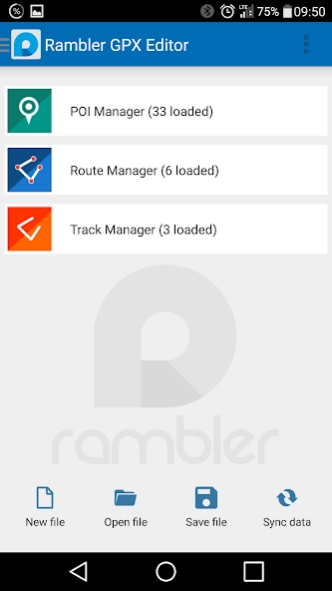
This application allows to manage and edit your GPX data such as POI (Points of Interest), Routes and Tracks.
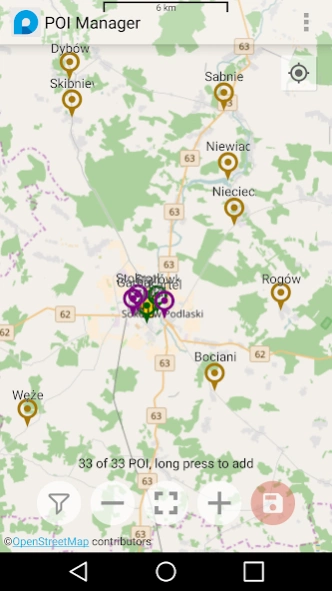
POI Manager:
Allows to browse and edit your POI (Points Of Interest) data;
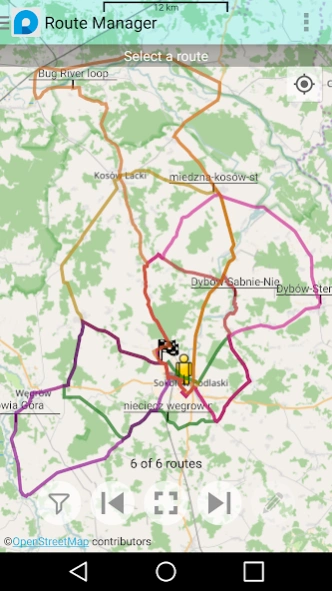
Route Manager:
Allows to browse routes and launch other route-related activities;
Route Editor:
Allows to edit route properties, move/add/remove waypoints, draw a route manually;
Route Creator:
Automatically creates a route based on cardinal waypoints. Depends on the Open Source Routing Machine Demo Server;
Route Optimizer:
Reduces route points number to desired amount on the fly;
Track Manager:
Allows to browse, delete, import and export tracks. Converts Track(s) into Route(s).
Route Creator and Route Optimizer use the GeoKarambola library to optimize the path by the route points number reduction;
This project is opensource software. Please find the source code at
https://github.com/nwg-piotr/RamblerGPXEditor
This project uses open data by Openstreetmap, and numerous opensource libraries. Please see Credits at
https://github.com/nwg-piotr/RamblerGPXEditor/blob/master/CREDITS.md
This program is free software; you can redistribute it and/or modify it under the terms of the GNU General Public License version 3.0, as published by the Free Software Foundation.
About Rambler GPX Editor
The company that develops Rambler GPX Editor is nwg. The latest version released by its developer is 1.0.4.
To install Rambler GPX Editor on your Android device, just click the green Continue To App button above to start the installation process. The app is listed on our website since 2017-07-28 and was downloaded 0 times. We have already checked if the download link is safe, however for your own protection we recommend that you scan the downloaded app with your antivirus. Your antivirus may detect the Rambler GPX Editor as malware as malware if the download link to pl.nwg.dev.rambler.gpx is broken.
How to install Rambler GPX Editor on your Android device:
- Click on the Continue To App button on our website. This will redirect you to Google Play.
- Once the Rambler GPX Editor is shown in the Google Play listing of your Android device, you can start its download and installation. Tap on the Install button located below the search bar and to the right of the app icon.
- A pop-up window with the permissions required by Rambler GPX Editor will be shown. Click on Accept to continue the process.
- Rambler GPX Editor will be downloaded onto your device, displaying a progress. Once the download completes, the installation will start and you'll get a notification after the installation is finished.
Version History
version 1.0.4
posted on 2017-07-28
POI display limitation to prevent OutOfMemory crashes: if more than 200 POI are visible at current view filter settings, the same marker will be used for all of them (no POI name, no types coloring).
Disclaimer
External Download
We do not host Rambler GPX Editor on our servers. We did not scan it for viruses, adware, spyware or other type of malware. This app is hosted by Galad and passed their terms and conditions to be listed there. We recommend caution when installing it.
The APK Download link for Rambler GPX Editor is provided to you by apps112.com without any warranties, representations or guarantees of any kind, so access it at your own risk.
If you have questions regarding this particular app contact the publisher directly. For questions about the functionalities of apps112.com contact us.
